
Roster & Trip Management
Import crew rosters from a calendar feed, PDF, screenshot or airline system, see exactly what changed, and manage the whole pairing — flights, sectors, gates, hotels and disruption.
However your airline publishes it, it comes in.
Rosters arrive in whatever form the airline chose — a calendar subscription, a PDF, a screenshot taken on a phone, or a real system integration. All four are import paths, because the alternative is retyping a month of duties and getting one of them wrong.
The important part is what changed.
A republished roster is compared against the one you had, and the difference is what you are shown: duties moved, added or removed, report times shifted, sectors swapped. Changes that affect an allowance are flagged as such, because a roster change is very often a pay change that nobody mentioned.
- Calendar feed, PDF, screenshot (OCR) and airline-system import
- Month, week, list and duty views, plus a continuous timeline
- Change detection with acknowledgement, so nothing passes silently
- Duty trade and availability
- Duty hours, sectors, nights away and allowances totalled per period
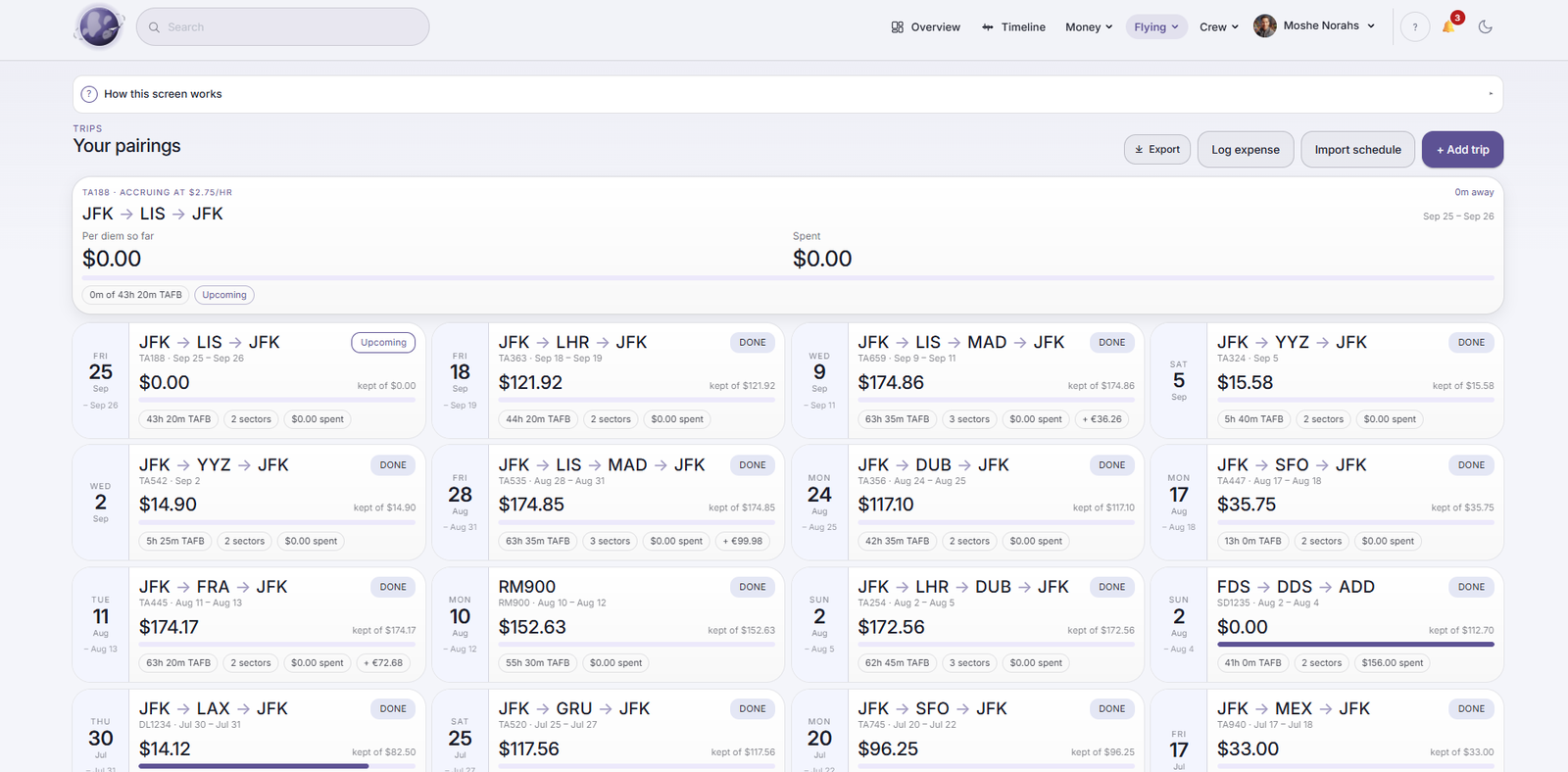
The whole pairing, in one place.
A trip is flights, sectors, gates, aircraft, crew, hotels and ground transport — and, when things go wrong, a disruption that rearranges all of it. The trip brief holds the lot, the journey view answers “what happens next and in which local time”, and irregular operations recompute what the change did to the rest of the pairing.
Trip brief
Flights, sectors, gates, aircraft, crew, hotel and transport for the whole pairing, available offline.
Journey view
What is next, where, and at what time where you are actually standing — not where the roster was written.
Irregular operations
Delay, diversion, cancellation and swap, with the knock-on effect on the rest of the trip made explicit.
Airports & connections
Airport information and how the sectors connect, so a tight turn is visible before it becomes a problem.
Rest, and the record of what you have flown.
Duty, rest and time-zone load are tracked so that the pattern is visible rather than remembered, and the statistics build into a personal career log — hours, sectors, routes, aircraft types and destinations, over the whole time you have used it.
Fatigue awareness is informational. It supports your own judgement and your airline’s scheme; it is not a fitness-to-fly determination and does not replace one.