
Platform, Modules & Administration
All 28 product modules plus the seven administration surfaces, the services and APIs beneath them, and how the platform deploys self-hosted or managed.
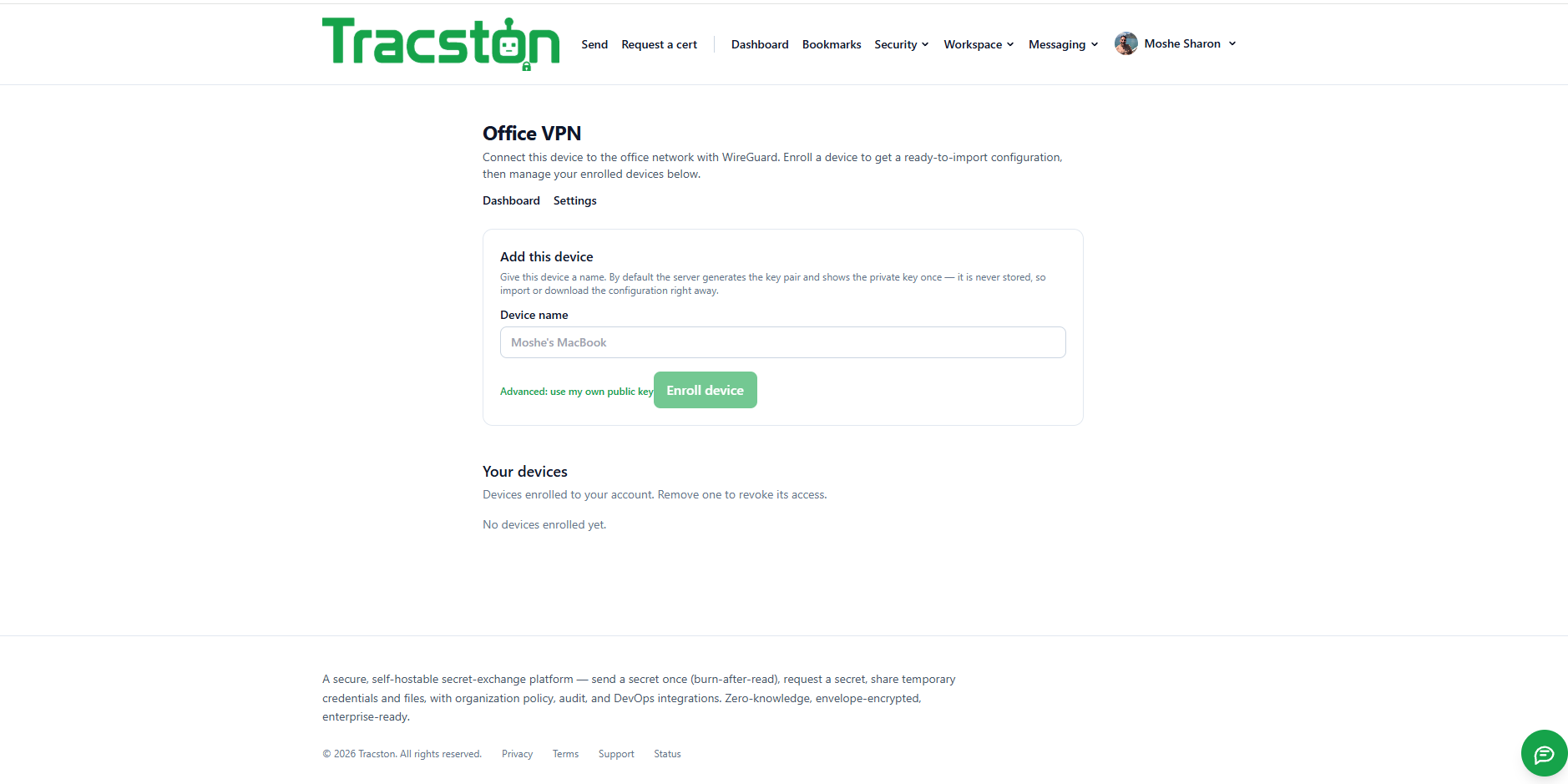
A corporate access VPN, not a consumer anonymity VPN.
The data plane is WireGuard, embedded in the clients. The control plane is ours: enrollment, key registration, config issuance, ACLs and revocation — on the same account, organization and RBAC as everything else.
- Enroll a device and get a ready-to-import configuration
- The server generates the key pair and shows the private key once — it is never stored
- Revoke a device to revoke its network access, from the same console
- No second product, no second identity system, no separate admin console
Services, APIs and how it deploys.
| Deployment | Managed cloud or fully self-hosted via Helm, with sizing profiles |
|---|---|
| Core services | Identity & Access, Presence, Chat, Voice/Video signaling, WebRTC SFU cluster, File, Vault & Secrets, Authenticator, AI, Search & Index, Notification, Audit & Compliance |
| Data tier | PostgreSQL, object storage, Redis, OpenSearch and a message bus |
| APIs | REST, GraphQL, WebSocket |
| SDKs | Python, Go, Java, .NET, Node.js, PowerShell |
| Identity | LDAP, Active Directory, Azure AD, Okta, Google Workspace, SAML, OIDC |
| Strong auth | Passkeys, FIDO2, smart cards, YubiKey, Face ID / Touch ID / Windows Hello, TOTP, hardware tokens |
| Ecosystem | Integrates with Tracston Resolve for operational workflows and incident response |
All 28 modules — plus the platform console.
Enumerated from the running system, grouped the way the product groups them. Five groups of product modules (28 in total), then the platform and administration surfaces (7 more). Everything on one backend, one account and one permissions model — nothing you have to integrate yourself, and org admins enable or restrict each module per user, role and organization.
Messaging
- Chat — WhatsApp-class end-to-end encrypted chat — personal and group, broadcast, channels, threads, mentions, voice notes, polls, scheduled messages, reactions, read receipts and presence, with message expiration, remote wipe, watermarking and anti-copy/anti-download.
- Calls — HD audio with noise suppression, push-to-talk, recording with approval, live transcription, AI summary and translation — with your full call history.
- Meetings — Waiting room, passwords, breakout rooms, webinar mode, polls and Q&A, background blur, live captions and translation, whiteboard, recording, AI notes and action items, screen share with remote control and annotation.
- Spaces — Shared team spaces that tie a group’s chat, pages, diagrams, files and tasks together in one place.
- Secure Mail — Outlook-grade secure webmail — bodies sealed at rest, access-controlled and audited — plus an external gateway with PGP / S/MIME.
- People — Your organization directory, with presence and one-click hand-off into chat, a call or a share.
Documents & files
- Files — Encrypted, one-time file sharing. Every upload is scanned for malware and sensitive content before it can be delivered — and again on retrieval.
- Documents — Organize, scan, version and securely share your documents, with watermarking, expiration, download limits and external-sharing approval.
- Document Redaction — Upload a document to black out sensitive information and manage your company’s keyword policy — true black-bar redaction, with the underlying data removed rather than covered and metadata stripped.
- Pages — Structured, encrypted long-form pages for the documentation that belongs next to the work.
- Diagrams — A canvas for flowcharts, architecture and mind maps, with AI diagram generation.
- Notes — Secure, encrypted notes — share with people and teams, link to a meeting, and keep bodies encrypted at rest.
Secrets & credentials
- Vault — Passwords, API keys, certificates, SSH keys, VPN profiles, JWT, OAuth secrets, AWS/Azure/GCP credentials, Kubernetes secrets and DB passwords — with folders, tags, favorites, reveal-on-demand, clipboard auto-clear and KeePass import.
- Send a secret — Paste a secret and get a one-time link. It is encrypted in the browser’s request and can be read only once — after it is viewed, or when it expires, it is destroyed.
- Request a secret — Ask someone for a credential and receive it over the same one-time channel. The sender never needs an account.
- Authenticator (MFA) — TOTP, HOTP, push MFA, hardware keys, recovery codes and device approval — on-device by default, with optional cross-device sync.
- Password generator — Create a strong, random password. Everything runs in your browser — nothing is sent to the server.
- Request a certificate — Download your organization’s root CA — the trust anchor for your own devices and services.
Work & coordination
- Tasks — Secure Kanban boards — organize work into columns and cards, assign teammates, set due dates and link tasks to notes, meetings and calendar events.
- Decisions — A shared decision log — capture the question, the options, and the choice with its rationale, so the reasoning survives the people.
- Approvals — Request and grant approvals — route a decision to the right people, track every response and see it on your timeline.
- Incidents — Track and coordinate incidents — severity, status, ownership and a running update log, with chat, meeting, files and timeline linked in.
- Calendar — Your meetings, holidays and events in one place, wired to tasks and notes.
- Groups — Create personal groups of people and reuse them as sharing targets.
Your workspace
- Dashboard — Everything addressed to you — secrets awaiting collection, approvals owed, today’s meetings and recent activity.
- Bookmarks — Your favorites across the workspace, collected in one place.
- Activity Timeline — Your work history, summarized — every send, open, approval and change in one auditable stream.
- Office VPN — Manage the devices you connect to the office network with WireGuard — enrollment, key registration, config issuance, ACLs and revocation on the same account and RBAC.
Platform & administration
- Organizations — Workspaces group your team, secrets, policies and billing — invite members, set security policy and share an audit trail.
- Enterprise SSO — SAML 2.0 and OIDC single sign-on with just-in-time provisioning, attribute mapping and a default role, alongside the data-protection controls.
- Integrations — Wire the platform into your terminal, CI, chat and secret managers — a
secretctlCLI, GitHub Actions and GitLab CI. Every recipe moves a one-time link, never the secret value. - API keys — Programmatic access over bearer tokens — shown once, scoped, expiring and limitable to specific source IPs.
- Downloads — The command-line tool and desktop app for every platform.
- Reports — Platform-wide usage, activity and security analytics across every organization.
- Admin console — Users, roles and permissions, devices, sessions, licenses, retention, legal hold, DLP, geo restrictions and the append-only audit trail.
Want this running inside your organization?
We scope the deployment in one meeting — sizing, identity integration, self-hosted or managed — and stand it up from there.
Start a project → See other work →