Handoffs
Unfinished work moves to an available agent that has the required access. A task is taken over once; nothing is processed twice.

ExcapiaMissionFlow
Interactive simulation
Set the goal. Watch the mission adapt.
Explore a simulated mission with coordinated agents, alternative routes and verified outcomes. MissionFlow by Excapia — a Tracston product.
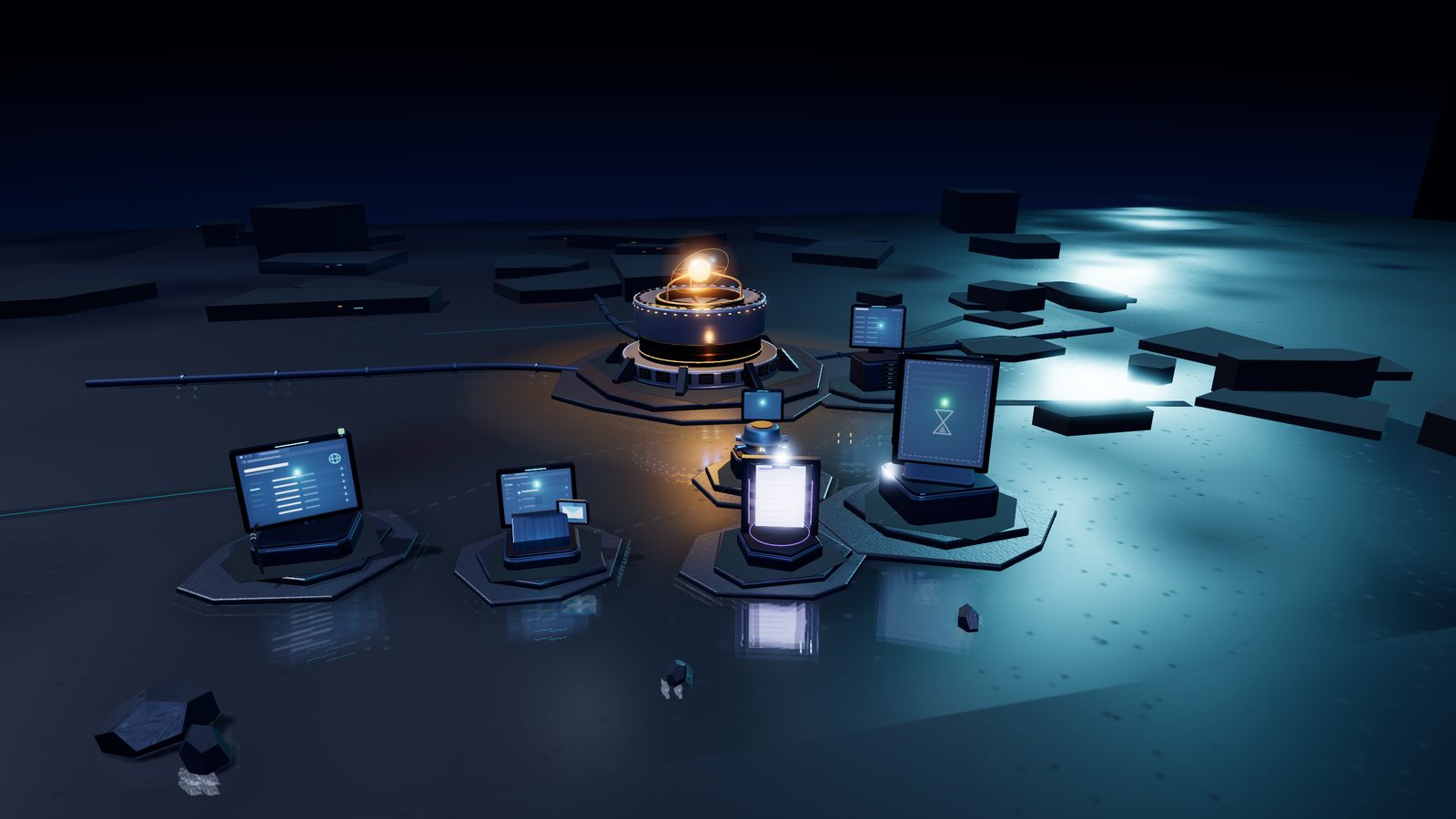
Collect supplier invoices, match them to purchase orders, and prepare an exception report.
Status: Ready
Ready. Run the mission to watch it plan, adapt and verify.
Report placeholder
The exception report appears here only after validation and verification complete.
Select one for its role, task, checkpoint, permissions, time and cost.
What is a MissionFlow?
A workflow is a list of steps. A MissionFlow is a goal with boundaries: what must be true at the end, what may be used to get there, and how the result is checked. Excapia plans the work, runs it, adapts when something changes and only reports success after the outcome is verified.
Follow one mission
Accounts Payable needs this week’s supplier invoices checked against purchase orders. Three suppliers publish invoices on a portal, three send them to an authorized inbox. The finance team wants the exceptions, not the busywork.
In the simulation above, the portal fails halfway. The supervisor does not start over: two invoices are already collected and stay collected. It switches the third to the Invoice API, which the mission is permitted to use, and hands it to the agent that holds API access. The report is only marked verified after its totals are checked.
Coordination and recovery
Unfinished work moves to an available agent that has the required access. A task is taken over once; nothing is processed twice.
Completed steps stay completed. A failure costs the step in progress, not the mission so far.
Some actions wait for a person: a route change, an email to a supplier, the release of a report. Approve or reject; both are recorded.
Routes are chosen by explicit rules: available, permitted, affordable, on time. If none qualifies, the mission pauses and says what is missing.
Real Excapia screens
The simulation above is illustrative. This is the product: a mission contract with its desired outcome, success criteria, allowed and forbidden actions, a primary path, fallbacks and an independent verification step. Sample data, no customer information.
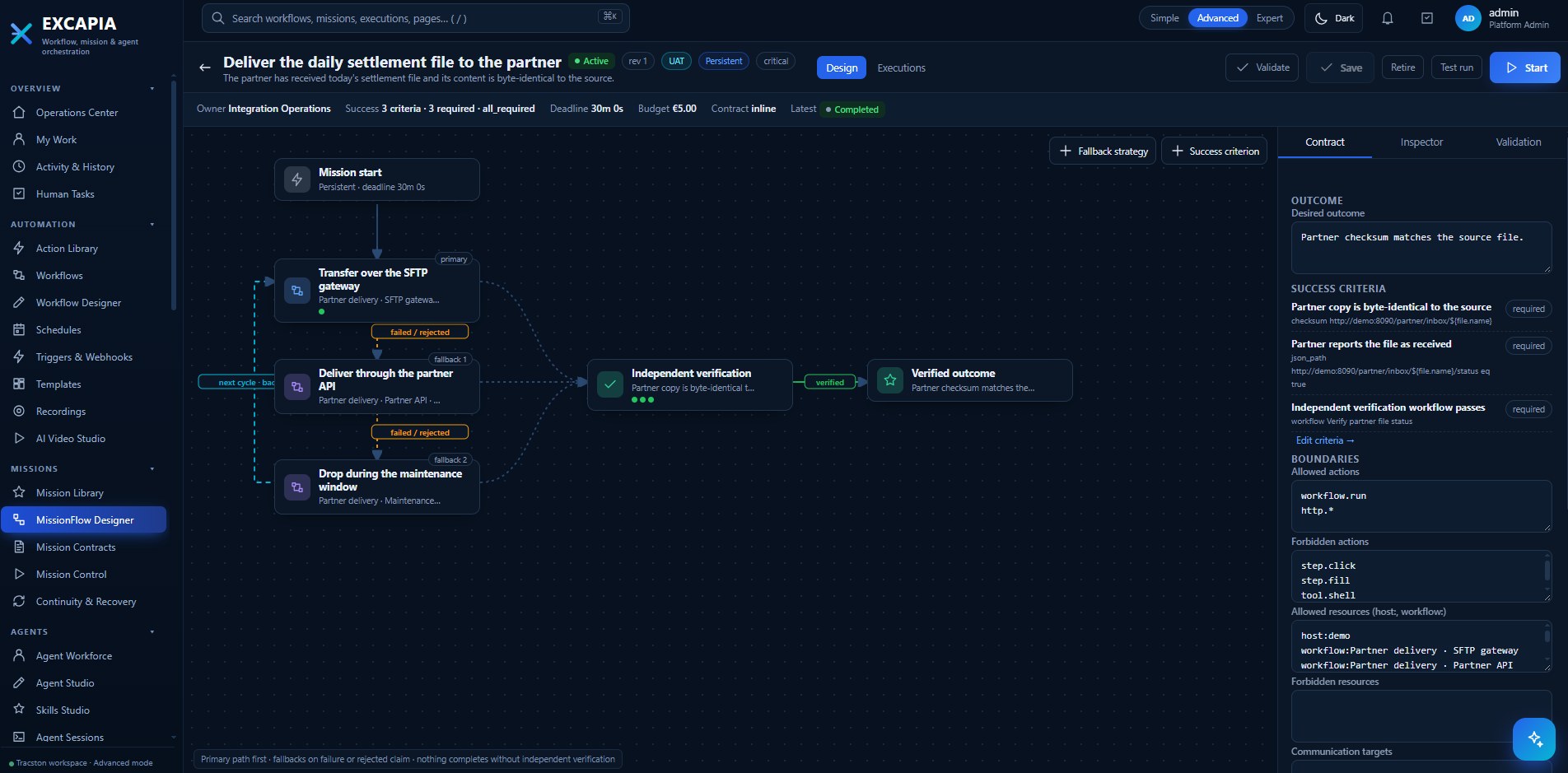
MissionFlow Designer in Excapia, with a sample mission. More screens will be added as the team supplies sanitized captures.
Connected control and visibility
Each role below belongs to one product. Imperium and Observatory capabilities apply only when that product is deployed and connected to Excapia; they are not part of Excapia on its own.
Excapia
MissionFlow planning, agents and tools, fallbacks, checkpoints and independent verification.
Included.
Excapia →Imperium
Model and tool access, agent permissions, budget rules and approvals enforced as policy across AI use.
Requires Imperium, connected to Excapia.
Imperium →Observatory
Journey telemetry correlated with infrastructure, applications and AI agents, to investigate why a mission slowed down or failed.
Requires Observatory, connected to Excapia.
Observatory →About this page: the hero is a simulation built for this website. It runs entirely in your browser, uses fictional suppliers and documents, makes no model calls and connects to no customer environment. Times and costs are simulated values.
MissionFlow by Excapia — a Tracston product
We will walk through a mission like this one with your systems in mind, and show what runs today.